truggling to shrink a photo down to exactly 20KB for an exam form or job application? You're not alone. Government portals across India enforce strict file size limits, and most everyday photos — straight from a phone or scanner — weigh in at several megabytes. Trying to manually resize an image while keeping it clear enough to pass verification is a frustrating, trial-and-error process.
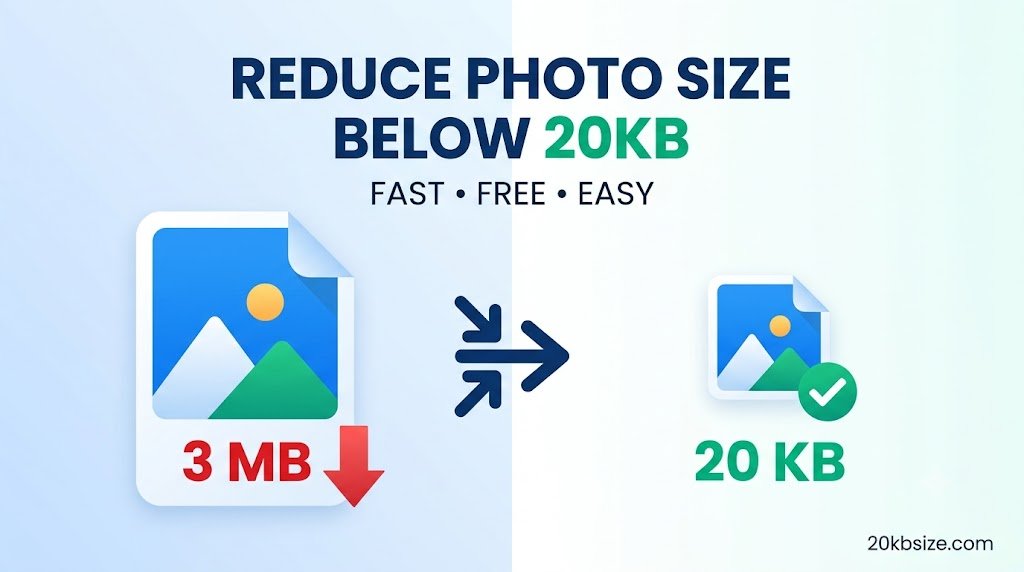
20kbsize.com solves this problem in seconds. Simply upload your photo, and our tool compresses it to the exact 20KB size required by most Indian government forms and application portals. No design skills, no software downloads, no signup. Just a fast, free way to get your image submission-ready.
Whether you're filling out an SSC exam form, applying for a railway job, or uploading a passport photo for a visa application, this guide walks you through why 20KB images matter, how to compress yours in three simple steps, and why thousands of applicants trust 20kbsize.com to get it right the first time.
Why Do You Need 20KB Images?
Many official Indian portals specify exact file size ranges for photo and signature uploads — and anything outside that range gets rejected automatically, regardless of how good the image actually looks. A 20KB limit is one of the most common requirements you'll come across, and it shows up in several high-stakes situations:
Government exam forms (SSC, UPSC, IBPS, Railway): Competitive exam portals like SSC, UPSC, IBPS, and Railway Recruitment Boards often require candidate photographs and signatures to fall within a narrow file size window, commonly capped at 20KB or 50KB. Forms that don't meet these specifications can be rejected outright, sometimes after you've already filled in every other field.
Job application portals: Private and public sector recruitment portals frequently mirror the same file size restrictions, especially when applications feed into automated screening systems. A photo that's too large can stall your submission or trigger an error at the final step.
Online admission forms: Colleges and universities processing thousands of applications rely on size-restricted uploads to keep their systems running smoothly. Oversized files are a common reason admission forms get flagged as incomplete.
Passport/visa photo uploads: Passport and visa application systems often require photos to meet both dimension and file size standards. Getting the size wrong can delay an already time-sensitive process.
In every one of these cases, the fix isn't a smaller photo — it's a correctly compressed one. That's the distinction 20kbsize.com is built around.
How to Compress Image to 20KB in 3 Easy Steps
Compressing an image shouldn't require technical know-how, and with 20kbsize website, it doesn't. Here's how the process works:
Step 1: Upload Your JPG, PNG, or JPEG Image
Choose the photo or document scan you need to compress and upload it to 20kbsize.com. There's no account to create and no software to install — just select your file and you're ready to go.
Step 2: Click "Compress to 20KB"
Once your image is uploaded, click the "Compress to 20KB" button. The tool automatically adjusts your image to meet the 20KB target while preserving as much visual clarity as possible, so your photo still looks sharp on screen and in print.
Step 3: Download Your Compressed Image Instantly
Within seconds, your compressed image is ready to download. Save it directly to your device and upload it to whichever exam portal, job application, or admission form you're working on — no extra editing required.
That's the entire process. Three steps, no learning curve, and a file that's sized exactly the way your application requires.
Why Choose 20kbsize.com?
There are plenty of image compression tools online, but 20kbsize.com was built specifically with Indian government forms and application portals in mind. Here's what sets it apart:
100% free, no signup required. You won't be asked for an email address, a password, or a credit card. Upload your image, compress it, and download it — all without creating an account.
Works on mobile and desktop. Many applicants fill out forms on their phones between classes, work shifts, or commutes. 20kbsize.com is built to work smoothly on any device, so you're never stuck needing a computer to finish your application.
Maintains image quality. Compressing a file down to 20KB doesn't have to mean a blurry, pixelated result. 20kbsize.com balances file size reduction with visual clarity, so your photo still looks professional and clearly identifiable.
Instant results. There's no waiting around for a processing queue. Your compressed image is ready to download within moments of clicking compress.
No watermark, no limits. Your image stays exactly as it should — no branding overlaid on top, and no cap on how many times you can use the tool. Compress one photo or twenty; the experience stays the same.
Supported Formats
20kbsize.com supports all the common image formats you're likely to be working with, including:
- JPG
- JPEG
- PNG
- WebP
Whether your photo came from a smartphone camera, a scanned document, or a professional studio, you can upload it in its native format and let the tool handle the conversion and compression automatically.
Frequently Asked Questions (FAQs)
Is this tool really free?
Yes. 20kbsize.com is completely free to use, with no hidden charges, subscriptions, or signup requirements. You can compress as many images as you need at no cost.
Will my image quality be affected?
Some quality adjustment happens any time a file is compressed, but 20kbsize.com is designed to minimize visible changes. Your photo will remain clear and suitable for identification purposes on official forms, even at the reduced 20KB size.
Can I compress multiple images at once?
Yes, you can use the tool as many times as you need, one image at a time, with no daily limits restricting how many files you compress.
Is my data safe?
Your uploaded images are processed solely to generate your compressed file and are not stored, shared, or used for any other purpose.
Does it work on mobile?
Yes. 20kbsize.com is fully responsive and works seamlessly on smartphones, tablets, and desktop computers, so you can compress and download images wherever you happen to be filling out your form.
Start Compressing Your Images Now
Don't let a file size restriction stand between you and a completed application. Whether you're racing toward an exam deadline, finishing a job application, or submitting a passport photo, 20kbsize.com gets your image to exactly 20KB in seconds — for free, with no signup and no hassle.
Upload your image and get 20KB size in seconds.